Find musicians and send a message
The gist in 10 seconds
- Community, in the menu: a free directory of musicians, open once your profile is complete, as a list or on the map.
- Filter by instrument, style, level, radius around your city, or keep only those available now.
- Contact sends a request: a single message until the person replies. Their reply opens the conversation.
- From a conversation, Invite sends your studio's link. Block closes the door, and can report.
The directory
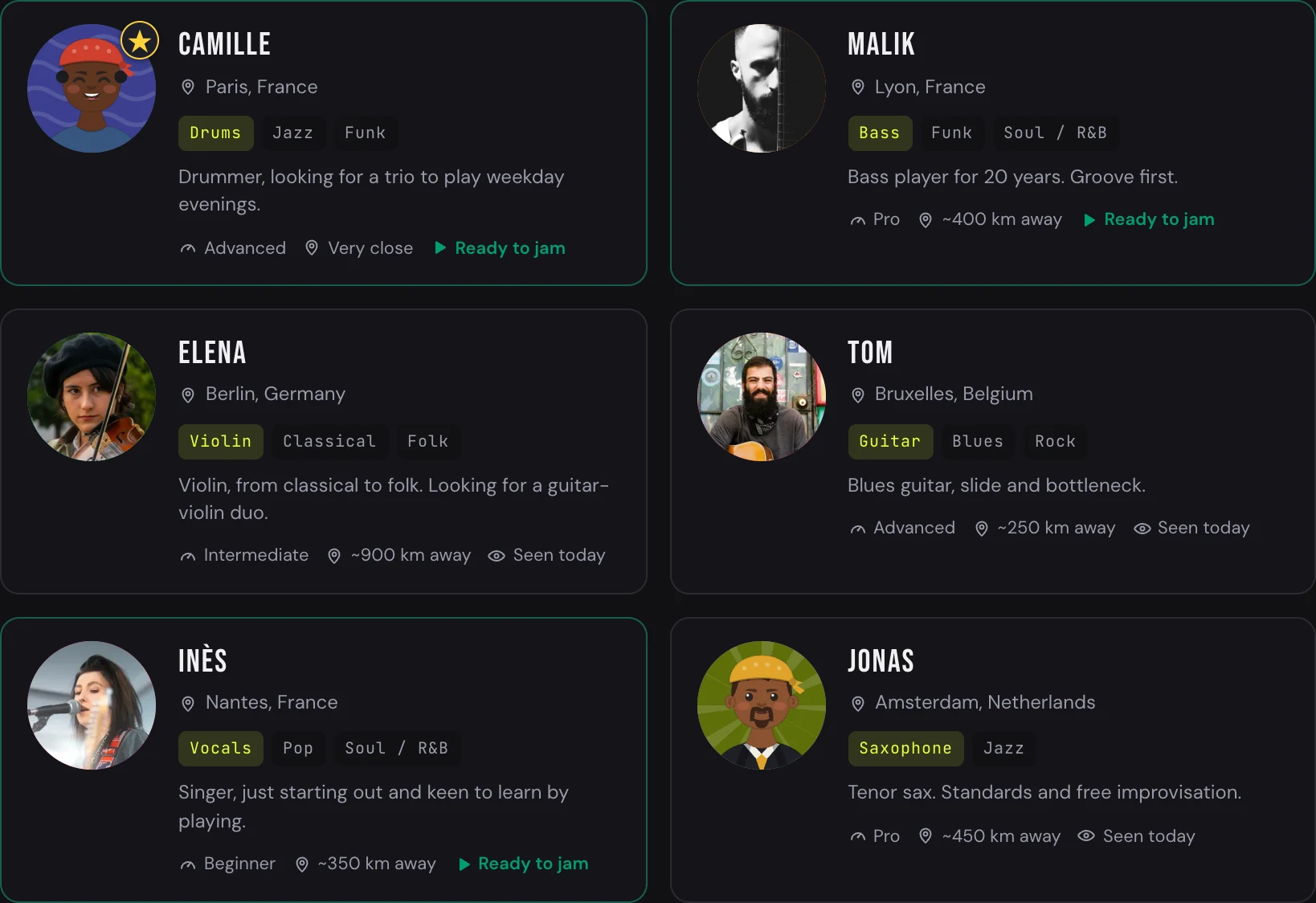
The directory cards — instruments, styles, level, distance
1
Open the Community
In the app menu. If your profile is not at 100%, the directory stays closed: Jamodio tells you how many musicians are waiting for you and offers to complete it → Create your avatar and profile.
2
Filter
Instruments, Styles, Level, Radius (“Everywhere” or a number of kilometres around your city). Available now keeps only those who declared themselves ready to jam. The search bar takes a username or a city. Sort: relevance, distance, recently seen.
3
Read a card
Avatar, username, instruments, styles, level, city and distance (“~40 km away”, “Very close”), and last seen (“Online”, “Seen this week”). When few people match, Jamodio widens the search on its own and tells you.
4
Switch to the map
The Map button replaces the list with a map of Europe: one pin per city, with the number of musicians. Drag to move, scroll to zoom, click a pin to see who plays there. “Recentre on my city” brings you home.
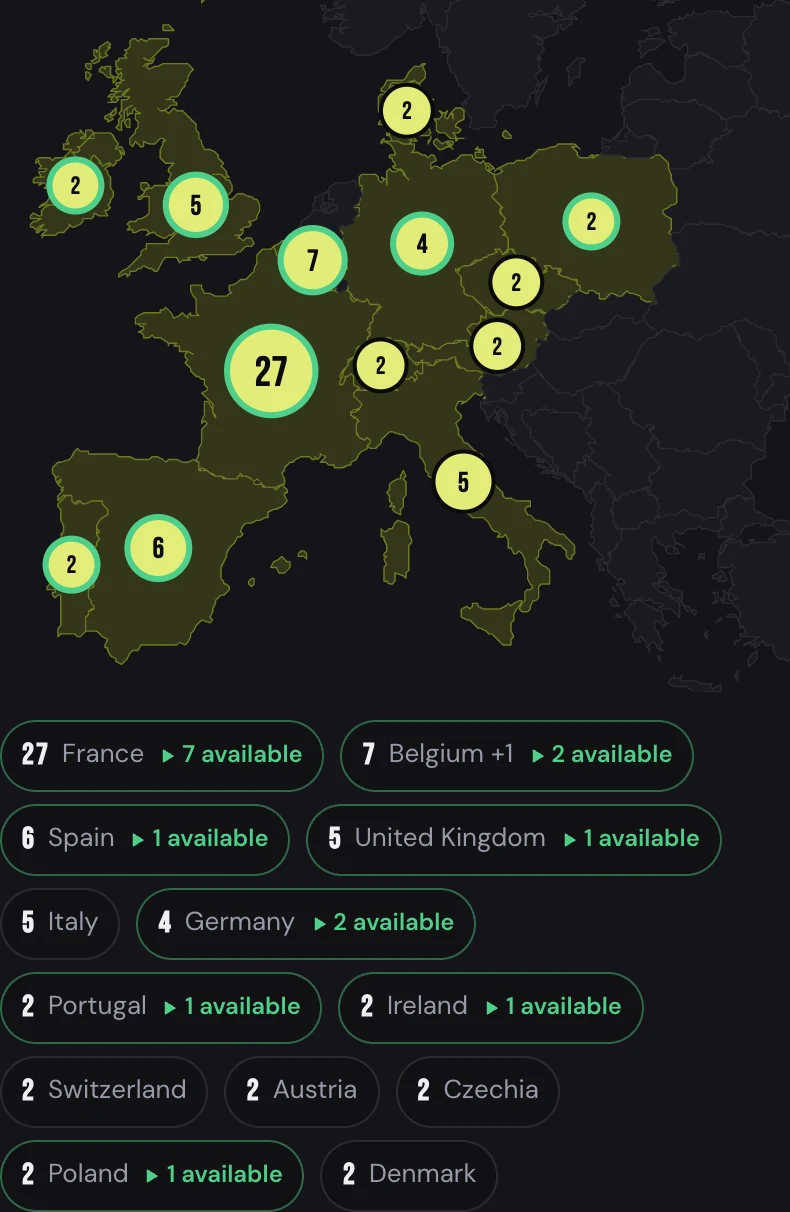
The map — one pin per city, the number of musicians on it
Send a message
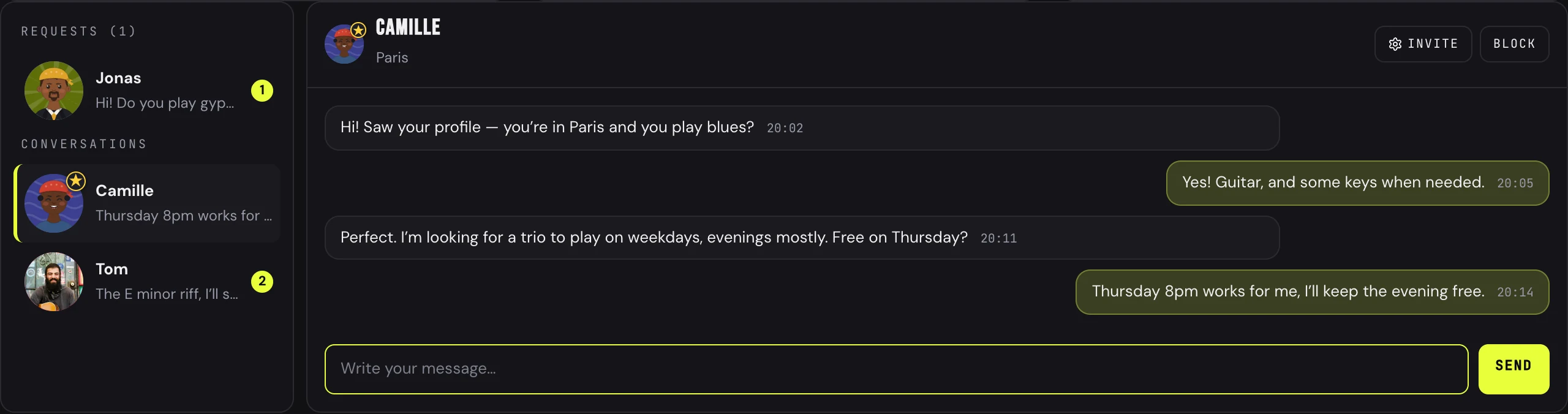
Messages — requests and conversations on the left, the thread on the right
1
Contact
On a directory card, Contact opens a new message. Write as to a musician met at rehearsal: who you are, what you are looking for.
*bold*, _italic_, and links become clickable.2
A request, then the reply
Your first message is a request: you cannot send a second one until the person replies. On their side, it lands in Requests; replying opens the conversation, which then moves to Conversations for both of you. The number of new conversations per day is limited, so nobody gets flooded.
3
Invite into your studio
In a conversation, Invite asks which studio, then sends the invitation link in the thread. The person clicks, creates an account if needed, and joins you → Create and join a studio.
4
Block, report
Block closes the conversation both ways. A checkbox lets you report to Jamodio when the problem goes beyond your case (hateful speech, harassment, spam): our team is informed.
5
Get notified
In Messages, Notify me by email: an email only when a musician contacts you for the first time. Never for an ongoing conversation, never the message's content.
If it does not work
- The directory does not open: your profile is not at 100%. The Community works both ways: you only search, and only write, if you show yourself. Complete it, then come back.
- “Wait for their reply before writing again”: that is the request rule. One only, then the reply opens everything.
- “This musician is no longer in the directory”: they withdrew or their profile is no longer complete. You cannot write to them for now.
- Nobody in your radius: Jamodio widens on its own and tells you. Otherwise, “Everywhere”: on Jamodio, distance only changes the Network line of your bubble.
- “You opened many conversations today”: the daily limit. Try again tomorrow.
Still stuck? Write to support@jamodio.com: we reply within 24 hours.